
Charging your plusOne toy doesn’t have to be confusing. Whether you own the plusOne Grooved Vibrating Bullet 2.0 or another model in the line, knowing the correct charging method ensures long-term performance, safety, and uninterrupted use. With over 8,000 verified reviews and a 4.8-star average, plusOne toys are praised for their powerful vibrations, compact design, and quick USB charging.
This guide walks you through every step of charging your plusOne toy properly, from selecting the right cable to interpreting LED signals and avoiding common mistakes. You’ll learn how to charge safely, extend battery lifespan, and keep your device in peak condition.
Choose the Right plusOne Charging Cable
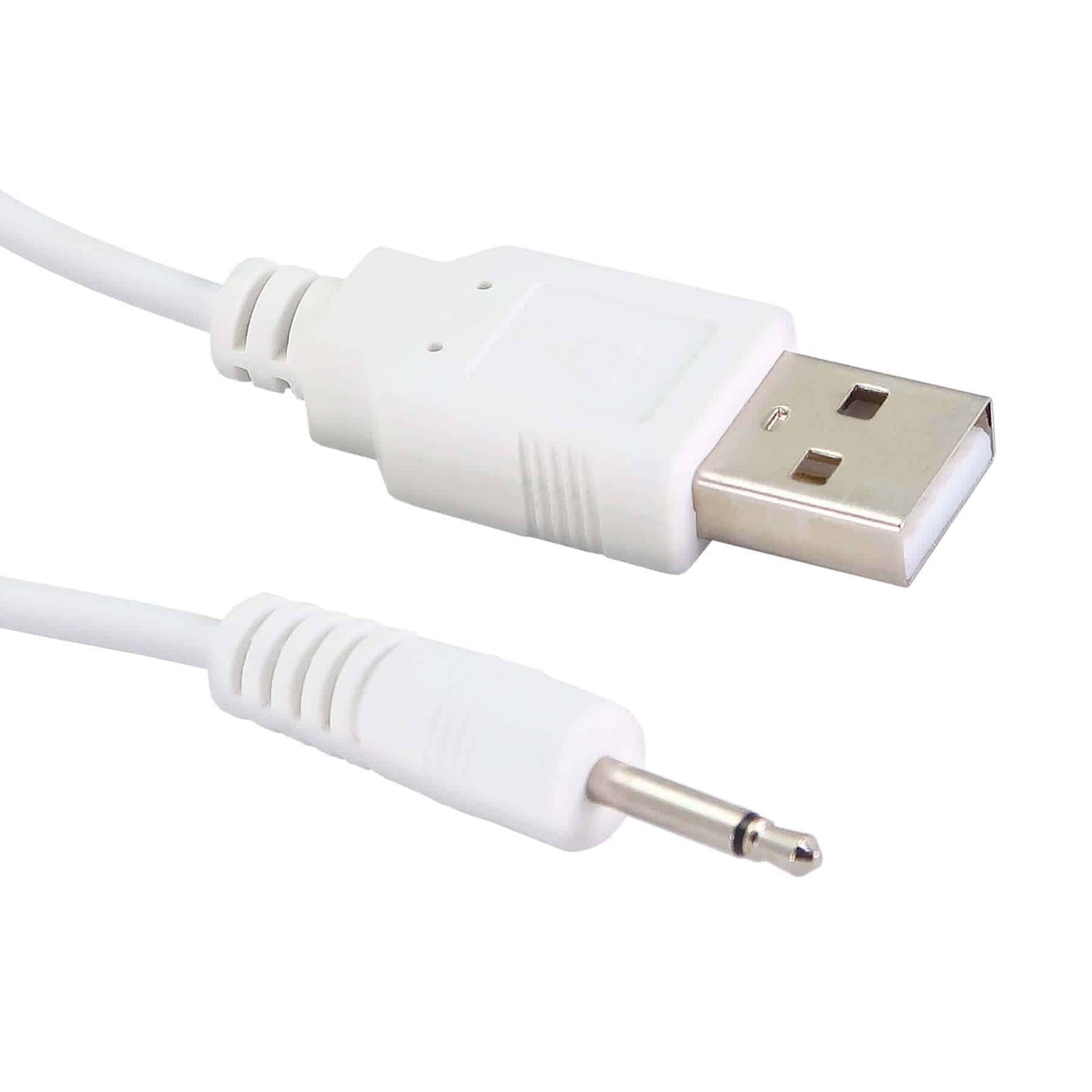
Not all USB cables work the same, even if they fit physically. Using the correct plusOne-branded charger protects your device from voltage spikes and connection issues.
Match Your Model’s Connector Type
plusOne offers four official charging cable types. Use only the one designed for your toy:
• Magnetic Charging Cable: Snaps into place in low-light environments
• Pin Charging Cable: Provides secure fit with firm connection
• Ring Pin Charging Cable: Ensures full electrical contact for older models
• Induction Charging Cable: Enables portless charging with placement-based power transfer
All cables come with a standard USB-A end, compatible with wall chargers, power banks, laptops, and car adapters.
Keep a backup cable. These small chargers are easy to lose, and having a spare ensures you’re never left without power.
Locate and Prepare the Charging Port
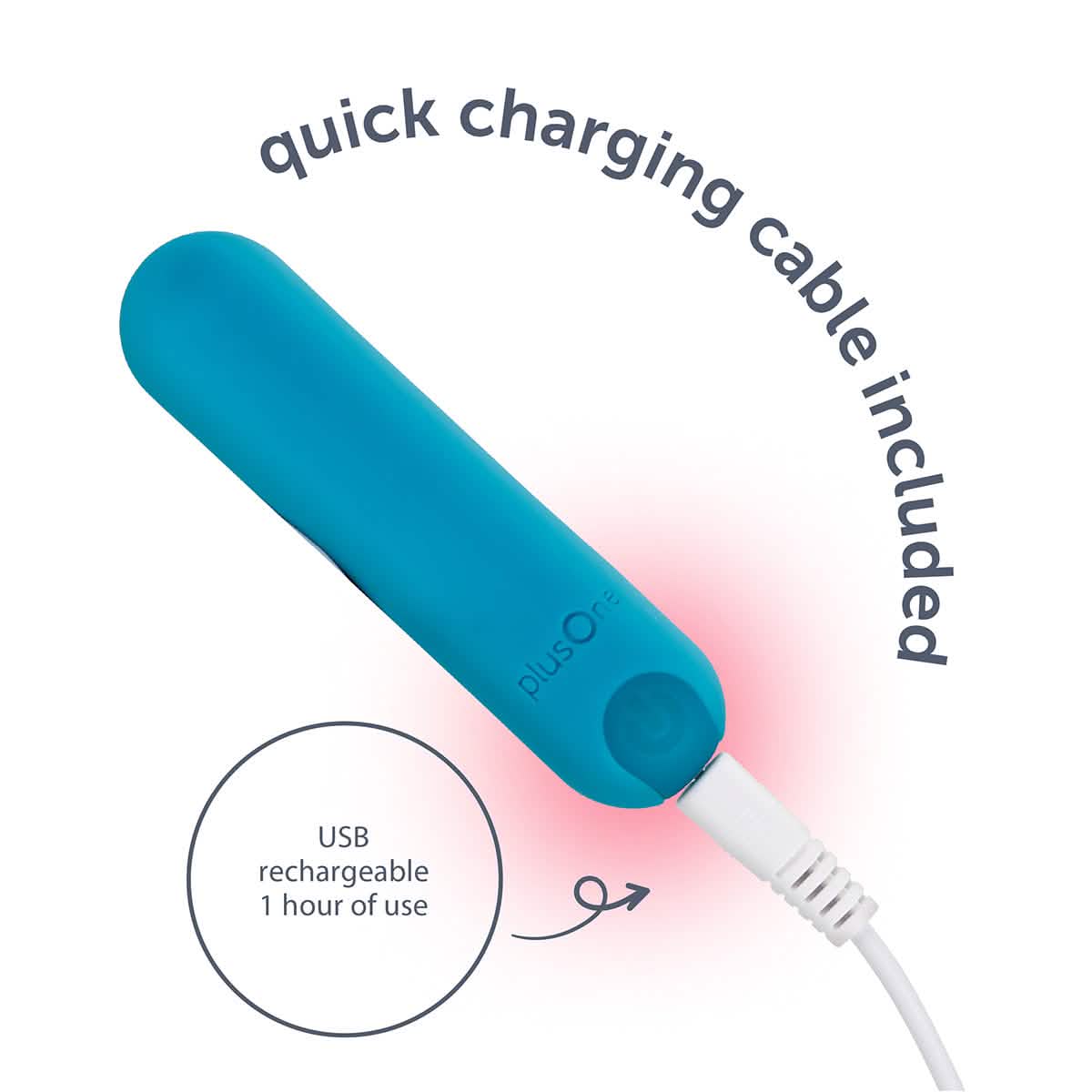
Your plusOne toy is fully waterproof (IPX7-rated), but the charging port must be dry before every charge.
Find the Hidden Port
On the plusOne Grooved Vibrating Bullet 2.0, the port is located on the base or side of the device. It’s covered by a small rubber plug that maintains the waterproof seal.
Open and Inspect
- Gently pull back the rubber cover
- Check for moisture, lint, or residue from lubricants
- Wipe dry with a lint-free cloth
- Let air-dry completely if wet
Charging with a damp port can cause corrosion, short circuits, or permanent damage to your device.
Connect and Start Charging
Now that the port is clean and dry, attach the correct cable.
Attach by Connector Type
For magnetic cables, hold near the port and it will snap into place automatically. For pin or ring pin cables, align the metal pin with the port and insert gently until it seats fully. Do not force the connection. For induction chargers, place the toy on the charging pad as directed in your model manual.
Plug Into Power Source
Insert the USB end into one of these sources:
• Wall adapter (5V): Fastest charging option
• Computer USB port: Slower but reliable
• Power bank: Ideal for travel
• Car USB outlet: Convenient for on-the-go charging
Avoid fast-charging adapters and high-amperage sources over 1A, as these can stress the lithium-ion battery and reduce its lifespan.
Monitor the Charging Indicator

Your plusOne toy uses an LED light to show charging status.
Read the LED Signals
• Red light: Charging in progress
• Green light or light off: Fully charged
Some models may pulse red during charging or turn off after reaching full charge.
Typical Charging Time
Expect 60 to 90 minutes from empty to full charge. Charging time depends on battery level before charging, USB power output, and cable condition.
The device has built-in overcharge protection, but it’s still best to unplug once fully charged to preserve battery health.
Disconnect and Seal the Port
Once charging is complete, safely disconnect and prepare for storage or use.
Steps to Finish
- Unplug the USB end first from the power source
- Gently remove the cable from the toy
- Wipe the port area if needed
- Close the rubber cover tightly to restore waterproof protection
Never store or use the toy with the cover open. Moisture ingress voids the warranty and risks internal damage.
Maximize Battery Life: Pro Tips
Small habits make a big difference in how long your plusOne toy lasts.
Best Practices for Longevity
• Recharge after every use rather than waiting for the battery to die
• Avoid full discharges, as lithium-ion batteries degrade faster when drained to 0%
• Store at approximately 50% charge if unused for weeks
• Use only low-voltage (5V) sources
• Keep connectors clean to maintain proper conductivity
Battery capacity naturally declines over 2-3 years. Regular care extends peak performance.
Troubleshooting Common Charging Issues
Even with the right cable, problems can occur. Here’s how to fix them fast.
No Light When Plugged In
Possible causes include dirty or wet ports, damaged cables, or a dead battery. Try drying and cleaning the port, testing a different USB source, and using a known-good cable. Contact support if the device remains unresponsive.
Red Light But Not Charging
Likely issues are poor connection, low-power USB ports, or faulty cables. Re-seat the cable firmly, switch to a wall adapter, and replace the cable if damaged.
Overheating During Charge
Unplug immediately if your toy overheats during charging. Let it cool down and inspect for damage. Causes may include non-compliant chargers, high-heat environments, or internal faults. Do not reuse if it overheats repeatedly.
Keep Your plusOne Toy Clean and Safe
Proper hygiene prevents irritation and protects the device.
After-Use Cleaning Steps
- Wash with warm water and mild soap or toy cleaner
- Rinse thoroughly (the device is waterproof)
- Dry with a lint-free towel
- Air-dry completely before storage
Never use alcohol, bleach, or abrasive cleaners, as they degrade the silicone surface.
Store It Right
Where and how you store your toy affects its lifespan. Keep it in a cool, dry place away from humidity and sunlight. Use a fabric pouch to prevent dust and material reactions. Never store with jelly rubber toys, as chemical transfer can damage the silicone surface.
Safety First: Key Warnings
Your plusOne toy is designed for safe, pleasurable use when used correctly.
Critical Safety Rules
• External use only, not for vaginal or anal insertion
• Do not share without cleaning or using a condom
• Inspect regularly for cracks, swelling, or odor
• Stop use immediately if irritation or device damage occurs
Electrical Safety
Use only 5V USB power sources. Never disassemble or modify the unit. Don’t charge near water sources even though the toy is waterproof.
Enhance Your Experience: Usage Tips
Get the most out of your plusOne toy with these user-tested tips.
Get the Most From Your Device
Start on less sensitive areas like inner thighs or neck before moving to high-sensation zones. Explore all 10 vibration modes to find your favorites, including steady vibration, pulsing, and escalating intensity. Use water-based lubricant for smoother glide, and avoid silicone-based lubes that can degrade the toy surface.
Warranty and Support Info
Your plusOne toy comes with strong protection if you follow the rules.
Two-Year Limited Warranty Covers
Manufacturing defects, material flaws, and workmanship issues under normal use are covered.
Not Covered
Water damage from an open port, damage from improper charging, physical abuse or disassembly, and normal wear and tear are not covered.
To file a claim, contact the retailer or manufacturer, provide proof of purchase, and follow return instructions. Keep your receipt and original packaging for warranty claims.
Final Checklist: Charge Like a Pro
• Use the correct plusOne charging cable for your model
• Ensure the port is clean and completely dry
• Plug into a 5V USB source (wall adapter preferred)
• Watch for red LED (charging) or green/off (full)
• Charge for 60-90 minutes
• Disconnect and seal the rubber cover tightly
• Clean after each use
• Store in a cool, dry, separate container
Frequently Asked Questions About Charging plusOne Toys
How long does it take to fully charge a plusOne toy?
Most plusOne toys charge fully in 60 to 90 minutes, depending on the battery level before charging and the USB power source used.
Can I use any USB cable to charge my plusOne toy?
Only use plusOne-branded cables or manufacturer-recommended alternatives. Third-party cables may not regulate current properly and can damage the battery or void your warranty.
What do the LED lights mean on my plusOne toy?
A red light typically indicates charging in progress. A green light or light turning off means the device is fully charged. Check your specific model manual if unsure.
Why isn’t my plusOne toy charging even when plugged in?
First, ensure the charging port is clean and completely dry. Try a different USB power source and cable. If the issue persists, contact customer support for warranty service.
Can I overcharge my plusOne toy?
While the device has built-in overcharge protection, it’s best to unplug once fully charged to preserve long-term battery health.
Is it safe to charge my plusOne toy in the bathroom?
Never charge near water sources. Although the toy is waterproof, charging with wet hands or near water creates electrical hazards.
Key Takeaways for Charging Your plusOne Toy
The plusOne Grooved Vibrating Bullet 2.0 combines affordability, power, and ease of use, but only when charged and maintained correctly. Always use the correct cable type for your specific model, keep the charging port clean and dry before connecting, and stick to 5V USB power sources to protect the battery. By following this guide, you’ll enjoy stronger vibrations, longer battery life, and a safer experience every time you use your device.