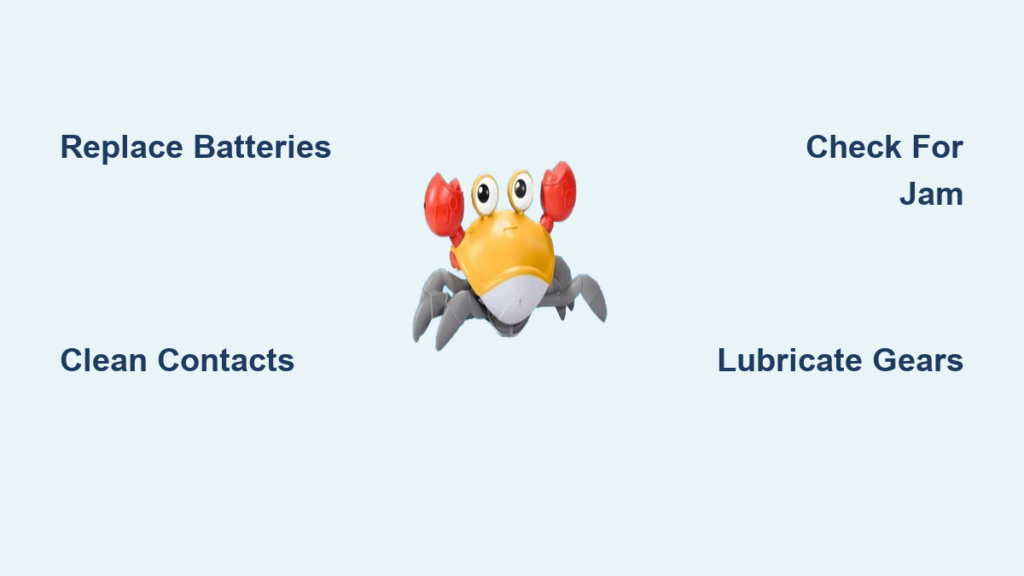
You bought a crawling crab toy expecting fun, giggles, and maybe some baby steps toward motor development, only to find it won’t move, makes strange noises, or dies after 30 seconds. You’re not alone. Thousands of parents and gift-givers report the same issue: crawling crab toy not working right out of the box. Despite its viral popularity on TikTok Shop, Amazon, and Temu, this toy has a reputation for inconsistent quality, fragile internals, and confusing activation. This guide cuts through the frustration. Whether your crab won’t turn on, crawls in circles, or only wobbles slightly before quitting, we’ll walk you through diagnosing the exact problem and applying real fixes, from simple battery swaps to internal gear cleaning.
Check Power Source First
The most common reason a crawling crab toy fails is power-related. Before disassembling or returning it, verify the energy supply.
Test Battery Models
If your crab runs on 2 x AAA batteries, follow these steps:
- Replace with fresh alkaline batteries. Use trusted brands like Duracell or Energizer. Cheap or rechargeable NiMH batteries often lack the voltage spike needed to start the motor.
- Insert with correct polarity. Check the + and − marks inside the compartment.
- Inspect battery contacts. Look for corrosion, bending, or looseness.
- Clean contacts with a cotton swab dipped in rubbing alcohol.
- Gently bend the spring terminal to increase pressure against the battery.
Diagnose Rechargeable Models
For crabs with built-in lithium-ion batteries:
- Charge for 60 to 90 minutes using the original magnetic or pin charger.
- Inspect charging pins for dirt, bending, or corrosion.
- Try plugging into a different USB port or wall adapter.
- Look for subtle signs of life like a faint click or invisible LED when charging.
- Hold the power button during charge for 15 or more seconds to attempt a reset.
Crab Powers On But Won’t Move
You hear a hum, click, or sound effect, but no legs move. This means power reaches the circuit, but motion isn’t translating.
Inspect for Gear Jamming

Disassemble the crab to access internal components:
- Use a Phillips #0 or #1 screwdriver to remove screws hidden under stickers or feet.
- Carefully pry open the shell without breaking clips.
- Look for obstructions like plastic shavings from manufacturing, hair, carpet fibers, or lint wrapped around axles.
- Check for misaligned leg joints.
- Manually spin each leg to identify which side is jammed.
Clear debris using tweezers or compressed air. Gently rotate gears by hand to free stuck parts.
Lubricate Stiff Joints
If gears are dry or stiff:
- Apply one drop of silicone-based lubricant to pivot points.
- Avoid the motor or electronics.
- Never use WD-40, as it degrades plastic and attracts dust.
Check Motor and Mount
Place a finger lightly on the motor while powered on. If you feel vibration but legs don’t move, the gear train is disconnected. If there’s no vibration, the motor may be burned out or wiring loose. Look for detached red or black wires at motor terminals and resolder if needed.
Fix Erratic or Spinning Movement
Crab jerks, spins, or lurches uncontrollably. It’s not possessed, it’s unbalanced.
Diagnose One-Sided Drive Failure
Watch both leg sets. If only one side moves:
- Inspect the non-working side for stripped gears.
- Check for broken plastic linkage.
- Look for dislodged drive shafts.
- Manually spin each leg to identify resistance or slipping.
Recalibrate Tilt Sensor
Some crabs activate via motion sensor. Hold the crab upright for 5 to 10 seconds, then gently place on the floor. Don’t drop it. Repeat 2 to 3 times if it fails to start. For rechargeable models, unplug, wait 30 seconds, plug back in, then recalibrate.
Prevent Voltage Drops
Weak batteries cause stuttering. Replace even partially used cells. Avoid mixing old and new batteries.
Address Delayed or Failed Activation
Crab ignores you when placed down? This is common but fixable.
Understand Activation Logic
Most sensor-activated crabs require a lift and place motion to trigger. They need a flat, hard surface, not rugs or carpet.
Fix failed triggers by lifting the crab 6 or more inches, pausing, then setting it down smoothly. Try on tile or hardwood, not carpet. Ensure no objects block the bottom sensors.
Replace Faulty Switches
If your crab has a physical button, press firmly. Some switches wear out quickly. Open the casing and clean the switch with alcohol. Consider replacing if completely unresponsive.
Extend Short Run Time
Advertised for 30 or more minutes? Real-world use is often under 15.
Why Battery Life Is So Short
The motor draws high current under load. Poor gear alignment increases resistance, draining power. Low-quality batteries especially in dollar-store versions fail quickly.
Maximize Runtime
Use lithium AAA batteries for longer life and stable voltage. Limit use to 5 to 10 minute sessions to prevent overheating. Let the crab cool down between uses. For rechargeable models, charge every 3 to 4 weeks during storage to preserve battery health.
Prevent Overheating and Damage
A hot crab shell means trouble.
Signs of Overheating
The plastic smells warm or slightly burnt. The crab stops working after 1 to 2 minutes. Legs slow down rapidly.
Causes and Solutions
Overheating happens when the crab gets stuck under furniture and the motor keeps running. Gear friction from debris or misalignment also causes it. A defective motor drawing excess current is another culprit.
Always supervise use and stop if the crab gets warm. Clear obstacles and avoid thresholds, rug edges, or tight spaces. Let the crab rest 30 minutes if overheated.
Return or Replace? Know Your Options
If troubleshooting fails, return it. Many sellers make this easy.
Best Retailers for Returns
Amazon offers a 30-day full refund, even opened. Target accepts 90 days with receipt and accepts used items. Walmart requires 30 days and a receipt. TikTok Shop allows 15 days but may require video proof. Temu and AliExpress offer 90-day protection and often provide replacement instead of refund.
Most crabs have no warranty and no repair support. If it fails, replacement is your only option.
Better Alternatives to Consider
Some crabs are beyond saving. If you’ve tried fresh batteries, contact cleaning, gear clearing, and charging reset without success, it’s likely a factory defect. Given the 30 to 40% failure rate, you got a dud.
Look for alternatives with USB charging, sound control, smooth wheels, and positive long-term reviews. Consider a push-along turtle with wheels for infant motor development. A solar inchworm offers silent, no-battery play. A USB-rechargeable crawling caterpillar with mute option provides durable motion. A light-up roller ball works well for sensory stimulation.
Key Takeaways for Fixing Your Crawling Crab

The crawling crab toy is a viral hit for its novelty and visual appeal, not its reliability. Poor quality control, fragile gears, proprietary charging, and loud un-muteable sounds make it a high-risk purchase.
Can you fix it? Sometimes, especially if the issue is batteries, contacts, or a jammed gear. Should you keep it? Only if it passes consistent testing and you’re okay with short-term use.
For lasting value, opt for toys with standard charging, sound control, and durable builds. The crawling crab is fun while it lasts, but for many, it doesn’t last long.
Frequently Asked Questions About Crawling Crab Toy Not Working
Why does my crawling crab toy only move on one side?
One-sided movement typically indicates a jammed or stripped gear on the non-moving side. Open the casing and manually rotate each leg to identify which side resists. Clear any debris, hair, or plastic shavings from the affected gear train.
How do I fix a crawling crab that won’t turn on at all?
Start with fresh alkaline AAA batteries or fully charge a rechargeable model. Clean battery contacts with rubbing alcohol and ensure proper polarity. Test the charger on another unit if available. If nothing works, the internal wiring or motor is likely defective.
Why does my crab stop working after a few minutes?
This usually points to overheating or battery drain. Limit play sessions to 5 to 10 minutes. Use high-quality lithium AAA batteries. Ensure the crab isn’t stuck under furniture, which causes the motor to strain continuously.
Can I replace the battery in a rechargeable crawling crab?
Most rechargeable models have non-removable lithium-ion batteries. Once the battery fails, the toy cannot be easily refurbished. Check if the charger is the problem before concluding the battery is dead.
Is the crawling crab toy safe for infants?
The loud, non-muteable sound startles many infants under 9 months. Supervision is always required. Consider alternatives with sound control for younger children. The toy works best for children aged 3 and up.
What should I do if my crab got stuck and now won’t move at all?
Disassemble to check for melted plastic, warped gears, or debris jammed in the motor area. Clear any obstructions. If the motor feels gritty or doesn’t spin freely, apply a tiny amount of silicone lubricant to the gear joints.