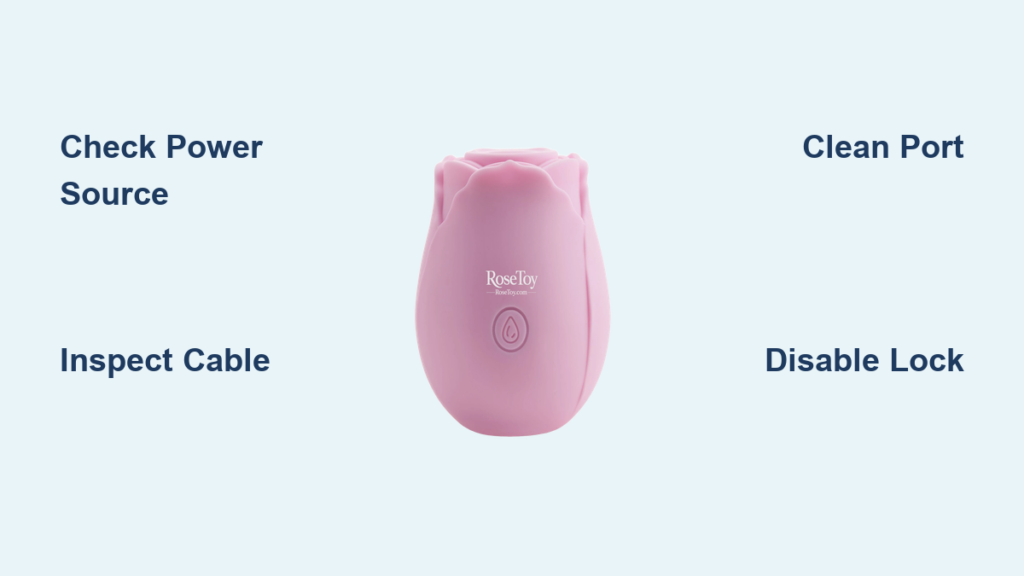
If your rose toy is not charging or keeps blinking during charging, you are dealing with a frustrating but common issue. Most charging problems stem from simple causes like dirty ports, faulty cables, or misunderstood LED signals. Understanding why your rose toy blinks while charging is the first step to fixing it. This guide covers every possible cause, how to diagnose the problem, and proven solutions to get your device working again.
In this article, you will learn what normal blinking looks like versus abnormal patterns, how to test your power source and cables, proper cleaning techniques, and when to seek replacement. By the end, you will have a clear action plan to resolve your rose toy not charging issue.
Decode the Blinking Light
The LED light on your rose toy provides real-time feedback about the charging status. Understanding what the blinking means helps you determine if there is actually a problem.
Normal vs. Abnormal Blinking
Blinking during charging is typically normal behavior. Most rose toys use a pulsing or flashing LED in red, blue, or amber to indicate active charging. The light usually turns solid or shuts off when fully charged.
Normal blinking patterns include a slow, steady pulse that stops or changes color after one to two hours. Some models blink the entire time and only turn off at full charge.
Abnormal blinking patterns include rapid flashes, flickering on/off behavior, or lights that never change after three or more hours. These patterns suggest a fault that requires attention.
What the LED Color Means
LED colors vary by brand, but common patterns help you interpret the status.
| Color | Meaning |
|---|---|
| Red/Orange | Charging in progress |
| Blue | Charging or Bluetooth active |
| Green/White | Fully charged |
| No Light | Battery dead or not connected |
If the light does not appear at all, the battery may be deeply drained. Wait 30 minutes before assuming failure.
Check Power Source First
Power source issues are one of the most common reasons for rose toy not charging problems. Verifying your power delivery is the first troubleshooting step.
Use a Stable 5V Charger
The rose toy requires a 5V plus or minus 5% input. Using a high-output charger like a tablet or fast-charging phone adapter can damage the internal circuitry. Stick to a standard smartphone wall adapter at 5V/1A, a powered USB port on a desktop, or a high-capacity power bank with stable output.
Avoid fast chargers including QC 3.0 and PD adapters, car adapters with variable output, and unpowered USB hubs.
Test Your Outlet
A faulty outlet or USB port can mimic charging failure. Confirm power delivery by plugging in another device like a phone, trying a different wall socket, or using a powered USB hub or desktop computer.
Inspect the Charging Cable
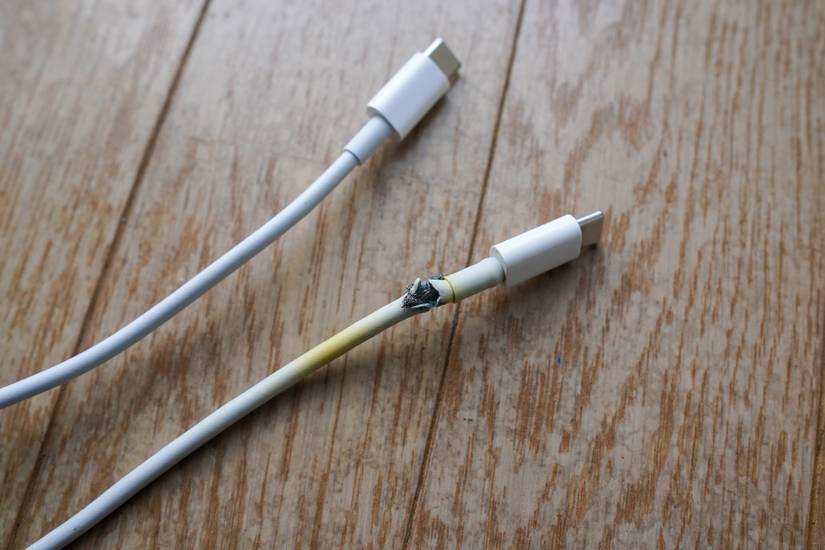
Damaged or incompatible cables are leading causes of rose toy not charging issues. A thorough inspection often reveals the problem.
Look for Physical Damage
Frayed wires, bent pins, or weak magnetic tips are common culprits. Check both ends of the cable including the USB and magnetic tip, flex points near connectors, and magnetic strength. The cable should snap firmly into place.
Test with Another Device
Plug the cable into a compatible device to verify functionality. If it fails there, replace the cable. If it works, the issue is likely with the toy or port.
Replace with OEM or Compatible Cable
Use only 5V/500mA to 1A cables. Third-party cables may work, but poor quality ones cause intermittent charging. The best options are the original manufacturer cable, a high-quality magnetic USB cable labeled for rose toy models, or a universal Micro-USB or USB-C cable if your model supports it.
Clean Charging Port and Contacts
Dirt, lint, moisture, or bodily residue can insulate the charging contacts, preventing electrical connection. This is a leading cause of rose toy not charging problems.
Why Dirt Blocks Charging
Even small amounts of debris create a barrier between the charging pins and the cable tip. This prevents the electrical connection from completing, even when everything else works properly.
Safe Cleaning Tools
Never use water or metal objects. Use a dry cotton swab, soft-bristle toothbrush, compressed air, or isopropyl alcohol at 70 to 90% on a cloth or swab.
Step-by-Step Cleaning
Power off the device first. Gently wipe the charging port and cable tip with a dry swab. Use compressed air to blow out debris. For corrosion or sticky residue, dampen a swab with isopropyl alcohol and clean lightly. Let the device dry completely for one to two hours before charging.
Never use water, household cleaners, or metal tools.
Ensure Proper Connection

Improper connection prevents charging even when everything else works. Different charging systems require different techniques.
Magnetic Cables: Align Correctly
Magnetic charging is convenient but sensitive. Misalignment breaks the circuit. Place the toy on a flat, stable surface. Align the cable pins precisely with the port. Let it snap into place naturally without forcing it. Avoid moving the toy during charging.
Pin-Based Systems: Full Insertion Required
If your model uses exposed pins, insert the cable straight and fully. Do not wiggle or force it. Ensure no lint is blocking the port.
Wait for Deep Discharge Recovery
If the rose toy has not been charged in over 90 days, the battery may enter a deep discharge state and will not respond immediately.
Plug in and wait 30 minutes before expecting a light. Signs that charging may be working include slight warmth at the base, delayed LED activation, or a brief vibration or pulse.
Disable Travel Lock Before Charging
Many rose toys have a child lock or travel lock that disables all functions, including LED indicators. If enabled, the toy may appear dead even when connected.
Press and hold the power button for three to five seconds. Wait for a vibration, rapid LED flash, or power-on sequence. Always disable travel lock before charging or storage.
Test for Battery and Hardware Failure
If the LED blinks rapidly or irregularly, it may indicate an internal circuit fault, battery failure, or firmware error in app-connected models.
Try using a new OEM cable, test with a different 5V power source, clean the port thoroughly, and charge for three hours. If there is no solid light, the battery may be dead.
Signs of battery failure include taking over three hours to charge, dying within minutes of use, or visible swelling, leaking, or odor. Stop use immediately if the device swells or heats abnormally.
Follow Charging Best Practices
Proper charging habits extend the life of your rose toy and prevent charging issues.
Do’s for Long-Term Health
Use the original or OEM-spec cable. Charge in a dry, cool place. Clean the port every two to four weeks. Store with 50 to 80% charge for long periods. Recharge every 90 days if unused.
Don’ts That Cause Damage
Do not use while charging. Do not overcharge. Unplug after two to three hours. Do not charge when wet. Dry fully first. Do not use fast chargers unless explicitly supported. Do not store fully drained or fully charged for months.
When to Replace or Contact Support
Knowing when to replace components or seek professional help saves time and money.
Replace the Charger If
Replace the charger if the original cable is lost or damaged, only one cable works inconsistently, or a third-party cable does not meet 5V/500mA to 1A specs.
Contact Manufacturer If
Contact the seller if there is no charging after trying a new cable, clean port, and stable power. Also reach out if the LED blinks continuously for over three hours, or if there is visible corrosion, swelling, or leakage. Most brands offer one-year coverage for battery and charging issues.
Model-Specific Tips
Different rose toy models have unique charging requirements.
App-Connected Devices
Check the battery percentage in the app. Look for firmware updates that fix charging bugs. Enable charging notifications.
Multi-Function Models
Multi-function models with suction, heat, or dual motors have higher power draw and longer charge times up to 2.5 hours. Some may require 1.5 to 2A input if supported. Check your manual.
Newer vs. Older Models
| Feature | Older Models | Newer Models |
|---|---|---|
| Overcharge Protection | Often missing | Standard |
| Waterproofing | Basic | Enhanced |
| Charging Speed | Slower (1-2A max) | Faster (up to 2A) |
| Wireless Charging | No | Rare, premium only |
Always consult your manual for exact charging time, LED behavior, and compatible accessories.
Prevent Future Charging Issues
Regular maintenance prevents most charging problems.
Clean After Every Use
Wipe the entire toy, especially the charging port. Use mild soap and water if waterproof, then dry thoroughly. Never charge with moisture in the port.
Store Properly
Keep the toy in a protective case. Use a moisture-proof bag with desiccant for long storage. Avoid extreme heat like cars or radiators or extreme cold.
Monitor Battery Health
Reduced runtime or longer charging times signal aging. After two or more years of regular use, battery replacement may be needed.
Quick Fix Checklist
Use this checklist when your rose toy is not charging or blinking while charging.
Try a different 5V wall adapter. Inspect and replace damaged cable. Clean port and cable tips with dry swab or alcohol. Ensure magnetic connection is secure. Wait 30 minutes for deeply drained battery. Disable travel lock by holding power for three to five seconds. Test with power bank or desktop USB. Contact seller if under warranty and problem persists.
Frequently Asked Questions About Rose Toy Charging
Why is my rose toy blinking but not charging?
Persistent blinking beyond two to three hours indicates charging failure. This is often caused by a faulty cable, poor connection, or internal fault. Try cleaning the port, using a new cable, and ensuring stable power.
How long should I charge my rose toy?
Most rose toys charge fully in 60 to 120 minutes. Do not exceed three to four hours to prevent overcharging.
Can I use any USB cable to charge my rose toy?
Only use cables that match 5V output and fit your port. Generic cables may work but performance varies. Use OEM or high-quality replacements.
What should I do if my rose toy gets wet before charging?
Dry it completely first, especially around the charging port. Most models are waterproof but require drying before charging to prevent corrosion.
Can I charge my rose toy with a power bank?
Yes, if it provides stable 5V output. Avoid low-power or pass-through modes that may not deliver enough power.
Key Takeaways for Fixing Rose Toy Charging Issues
Most rose toy not charging issues stem from simple causes that you can fix at home. Start by testing your power source and inspecting the cable for damage. Clean the charging port and contacts regularly to prevent debris from blocking the connection. Understand that normal blinking indicates charging is in progress, while abnormal patterns like rapid flashing or continuous blinking beyond three hours signal a problem.
Always use the correct 5V charger, avoid fast chargers, and keep your device clean and dry. If your rose toy blinks while charging beyond the normal timeframe, try a new OEM cable and clean the port thoroughly. When all troubleshooting fails and your device is under warranty, contact the manufacturer for replacement.
With proper care and regular maintenance, your rose toy can provide years of reliable use. The key is addressing charging issues promptly and following best practices for battery health.